


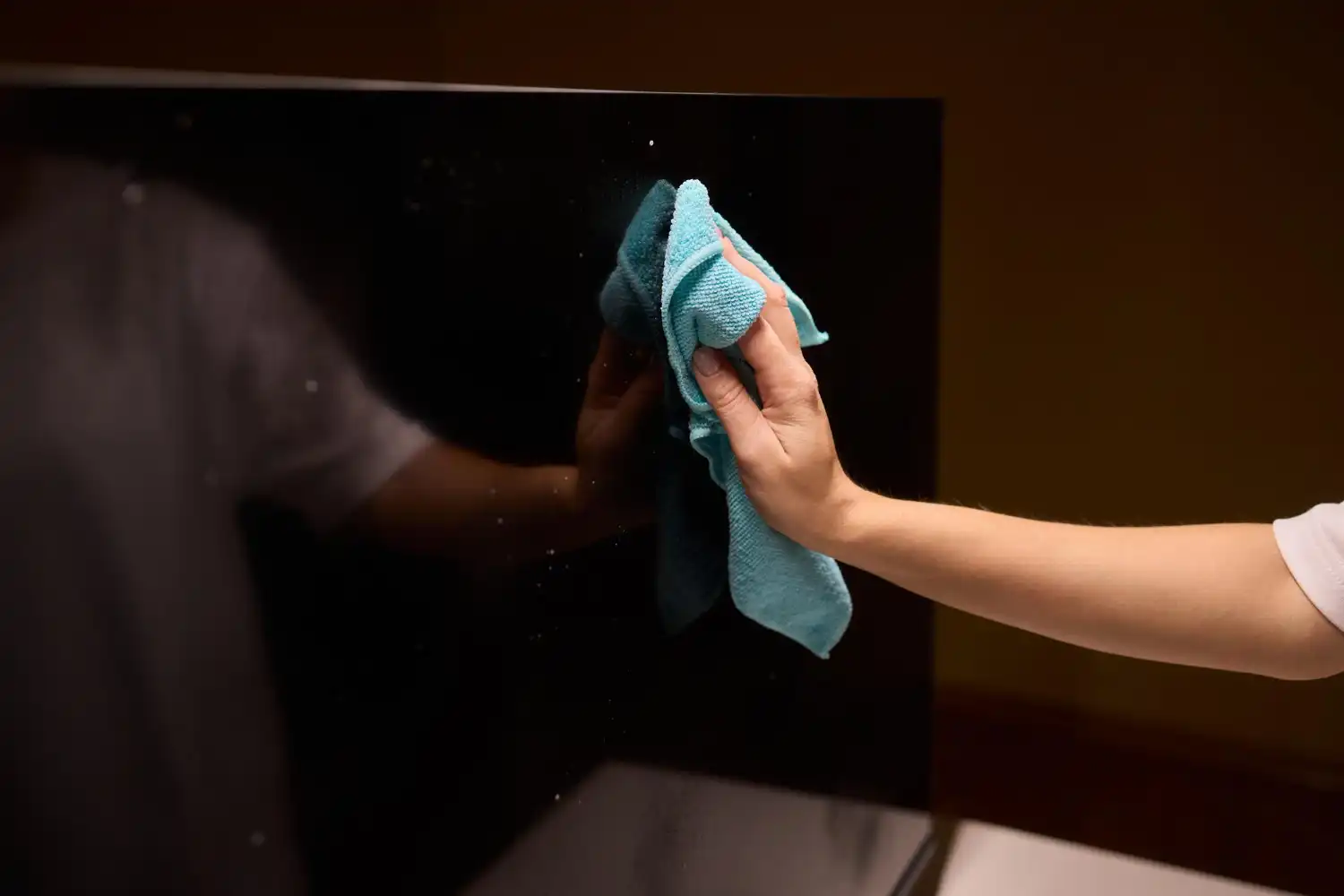
Digital Signage Displays sind täglich im Einsatz und müssen für eine optimale Darstellung regelmäßig gereinigt werden. Ob im Einzelhandel, in Unternehmen oder an öffentlichen Orten – Schmutz, Staub und Fingerabdrücke können die Sichtbarkeit beeinträchtigen. Doch falsche Reinigungsmethoden können Bildschirme beschädigen und ihre Lebensdauer verkürzen. Wer Monitore reinigen oder einen Bildschirm reinigen möchte, sollte daher auf die richtigen Reinigungsmittel und Techniken achten.
How to set up your digital signage monitors , which screen cleaner you should use, and what other tips and tricks there are, you can find out here.
Da Displays für Digital Signage oft in öffentlichen oder stark frequentierten Bereichen eingesetzt werden, sind sie besonders anfällig für Verschmutzungen. Die häufigsten Probleme sind:
● Dust deposits that reduce image quality.
● Fingerprints, especially on touch displays, are annoying.
● Grease or flour dust, often found in restaurants and bakeries.
● Dirt caused by insects or road salt, especially on outdoor displays.
● Sahara dust that stubbornly sticks to surfaces.
This contamination can lead to:
● Content is no longer clearly visible.
● Fans become clogged and cooling is impaired.
● The display appears unkempt and receives less attention.
Especially in sectors such as retail, catering catering or public institutions , regular cleaning is therefore essential.
The cleaning frequency depends on the operating environment. A rough recommendation:
● Once a week: Remove dust with a dry microfiber cloth.
● Every two weeks: Wet cleaning with mild detergent and distilled water.
● Tägliche Reinigung: Bei Outdoor-Displays & stark genutzte Touch-Displays, um Fingerabdrücke und Schmutz zu entfernen.
● At least once a month: Complete cleaning (including back and housing)
Regular cleaning ensures optimal visibility and extends the service life of the display.
Not all cleaning agents are suitable for LED, LCD, or OLED displays. Incorrect substances can damage the surface or cause scratches.
Recommended cleaning agents:
✔ Wedeko Premium Display Cleaner: Specially developed for screen surfaces, reliably removes dust and dirt.
✔ TFT cleaner: Gentle solution for sensitive LCD and OLED displays.
✔ Distilled water: Ideal for cleaning without leaving any residue.
✔ Microfiber cloth: A soft, clean microfiber cloth prevents scratches.
Prohibited cleaning agents:
🚫 Glass cleaner or alcohol – attack the protective layer of the display.
🚫 Aggressive chemicals – can cause colors to fade or damage the panel.
🚫 Paper towels or rough sponges – can cause scratches.
To clean your display without leaving streaks, follow these simple steps:
● Disconnect the monitor from the power supply to prevent damage.
● Allow the device to cool down to prevent streaks from forming.
● Remove loose dust with a dry microfiber cloth.
● Do not use paper towels, as they leave fibers behind and cause scratches.
● Spray a small amount of mild cleaning solution onto a soft cloth (never spray directly onto the screen!).
● Swipe across the display in circular motions to remove stubborn stains.
Leave to take effect for a short time.
● Wipe with a damp cloth to remove any residue.
● Then polish with a dry microfiber cloth.
● Allow the screen to dry completely before turning it back on.
This method ensures a streak-free display without damaging the panel.
✔ Use gentle cleaning agents so as not to damage the screen coating.
✔ Do not apply strong pressure to avoid damaging the monitor.
✔ Wet cleaning only with microfiber cloths to avoid scratches.
✔ Never spray directly onto the screen; always spray onto the cloth.
Many digital signage systems are installed in such a way that they cannot be easily cleaned by the user—for example, in outdoor housings or ceiling mounts. This is where a professional on-site service can help:
✔ Assembly inspection & readjustment of the bracket
✔ Complete cleaning of displays and casings
✔ Checking connections and joints
✔ Resolution of potential issues (software updates, wear and tear checks, etc.)
If you require professional cleaning or maintenance for your digital signage displays , please feel free to contact us!
It is best to use a clean microfiber cloth, a mild cleaning agent, or distilled water. Always wipe in circular motions and without applying too much pressure. This prevents scratches and ensures even cleaning without streaks.
Special display cleaners such as Wedeko Premium Display Cleaner or TFT Cleaner are ideal. Alternatively, distilled water can also be used. It is important not to use aggressive chemicals or alcohol-based cleaners, as these can damage the protective coating on the display.
No, glass cleaners often contain alcohol or harsh chemicals that can damage the protective coating on the screen. Glass cleaners can also leave behind residue that affects image quality or even causes permanent changes to the surface.
After wet cleaning, wipe with a dry microfiber cloth. Do not use paper towels or coarse cloths. It is best to use the cloth in a gentle, circular motion to avoid streaking and achieve an even result.
A soft microfiber cloth is ideal because it cleans gently and does not cause scratches. It reliably picks up dust and dirt without damaging the sensitive surface of the display and can be used multiple times.
Geeignet sind spezielle Display- oder TFT-Reiniger sowie destilliertes Wasser. Verwende keine aggressiven, alkoholhaltigen oder scheuernden Reinigungsmittel, da diese die Schutzschicht des Displays beschädigen können. Beachte außerdem immer die Reinigungshinweise des Herstellers.
Geeignet sind spezielle Display- oder TFT-Reiniger sowie destilliertes Wasser. Verwende keine aggressiven, alkoholhaltigen oder scheuernden Reinigungsmittel, da diese die Schutzschicht des Displays beschädigen können. Beachte außerdem immer die Reinigungshinweise des Herstellers.
Nein, herkömmlicher Glasreiniger ist für Displays in der Regel nicht geeignet. Die enthaltenen Substanzen können Beschichtungen angreifen, Rückstände hinterlassen oder die Oberfläche dauerhaft beschädigen.
Das hängt vom Einsatzort und der Nutzung ab. Staub sollte ungefähr einmal pro Woche entfernt werden. Stark genutzte Touchscreens sowie Outdoor-Displays können eine tägliche Reinigung benötigen. Eine gründlichere Reinigung von Display, Gehäuse und Rückseite empfiehlt sich mindestens einmal im Monat.
Sign up here for our monthly newsletter. New products, application examples, trade fair innovations, and collaborations with partners are presented here.


